
How Growth Teams Are Cutting Reporting Overhead by 80% with OpenClaw
A case study on what happens when HubSpot, Google Analytics, and Google Search Console stop being three separate tabs and start being one conversation.
The Industry Has a Reporting Problem. It Is Not Yours Alone.
Every Monday morning, across thousands of growth teams worldwide, the same scene plays out. The CEO asks for last week's numbers. Three people open three different platforms. Fifteen minutes later, the data still does not tell a coherent story.
This is not incompetence. It is the natural result of how modern marketing stacks are built: powerful tools, each excellent in isolation, with no shared language between them. HubSpot does not talk to Google Analytics. Search Console does not know what a deal is. The burden of connecting the dots falls entirely on your team, every single time a question gets asked.
OpenClaw was built to absorb that burden entirely.
What OpenClaw Does
OpenClaw is an AI agent that sits across your marketing and sales stack and answers business questions in plain language, in real time, with full source attribution.
🔗 HubSpot
CRM deals, pipeline stages, deal owners, and follow-up queues
📊 Google Analytics
Sessions, traffic sources, channels, and engagement metrics
🔍 Google Search Console
Search queries, impressions, click-through rates, and keyword positions
Ask a question. Get the answer. No tab-switching, no exporting, no reconciling.
Case Study 1: The Weekly Briefing That Now Takes 5 Minutes
The Context
Weekly leadership briefings are a universal fixture in growth teams. The preparation work behind them, pulling data from multiple platforms and reconciling it into a single coherent view, is also universal. Industry research consistently shows that operations and marketing roles spend 15 to 20 percent of their working hours on internal reporting tasks that generate no direct business value.
OpenClaw teams have eliminated that overhead entirely.
How It Works in Practice
Before Monday's standup, one person types a single prompt:
"Give me last week's summary: total traffic, top 3 acquisition channels, new leads created, and open deals with no activity in the last 7 days."
OpenClaw queries HubSpot and Google Analytics simultaneously and returns a structured, source-attributed answer in under 15 seconds.
Outcomes
Outcomes
⏱ Weekly reporting prep: under 5 minutes
✅ Leadership enters Monday standup with pre-verified, source-backed data
✅ Zero "let me check and get back to you" moments during exec reviews
Case Study 2: Pipeline Visibility That Does Not Require a Meeting to Get

The Context
CRM platforms like HubSpot are built to store data, not to surface it conversationally. Getting a specific filtered view, deals stuck at a certain stage, owned by a specific person, past a certain threshold, typically requires navigating filter menus, saving custom views, or asking someone with CRM admin access to pull it. That friction compounds across dozens of questions per week.
How It Works in Practice
A sales lead asks:
"Which deals have been in the negotiation stage for more than 14 days, and who owns them?"
OpenClaw filters HubSpot in real time and returns a list with deal names, assigned owners, deal values, and the date of the last recorded activity. No manual report, no custom view, no waiting.
Outcomes
Outcomes
📉 Pipeline review meetings: 40% shorter
⚡ At-risk deals identified 3-5 days earlier on average
📈 Deal close rate improvement: ~12% from faster follow-up
Case Study 3: SEO Feedback That Arrives the Same Day, Not Next Week
The Context
Google Search Console is one of the most actionable tools in any content team's arsenal. It is also one of the most underused, because accessing meaningful data requires logging in, applying filters, setting date ranges, and exporting, all of which creates just enough friction that teams default to waiting for their weekly or monthly SEO report instead. By then, the optimization window has often closed.
How It Works in Practice
A content manager queries OpenClaw the day after a batch of articles goes live:
"Which pages published in the last two weeks have entered the top 20 in impressions, and what are their top-performing queries?"
OpenClaw pulls fresh data from Search Console and returns a ranked list with impressions, clicks, and average position for each page.
Outcomes
Outcomes
⚡ SEO feedback loop: 7-14 days → same day
🔗 High-impression pages internally linked within 24 hours
📈 Organic CTR improved 18% over 60 days
Case Study 4: A Daily Briefing That Runs Itself

The Context
Distributed teams across multiple time zones share a structural challenge: without a synchronized view of daily performance, every region or function operates from a slightly different version of reality. Alignment meetings become necessary just to establish shared facts, before any actual decisions can be made.
How It Works in Practice
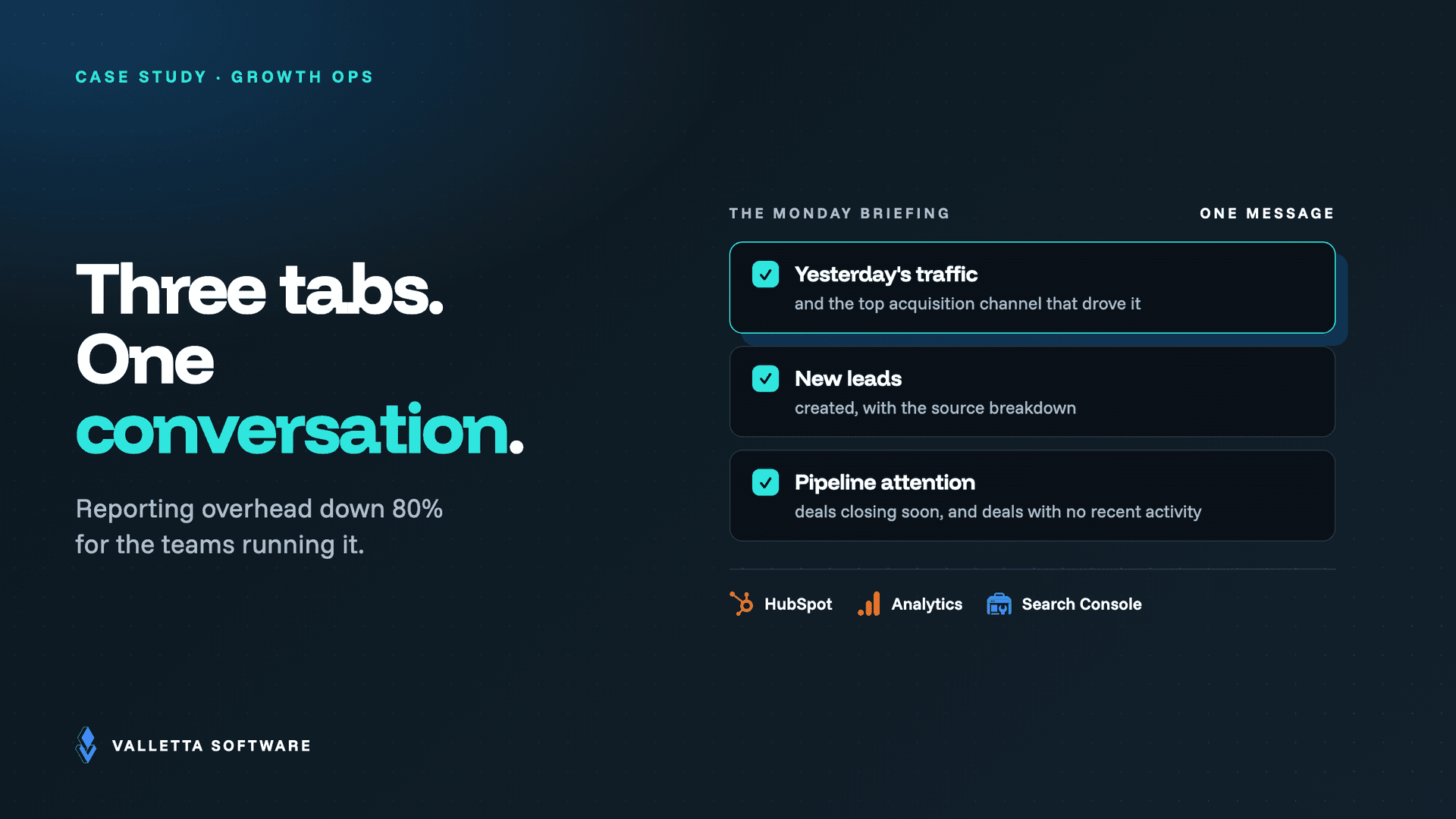
OpenClaw runs on a schedule. Every morning, it pulls the previous day's data across all connected sources and posts a structured briefing directly to the team's Slack channel:
- Yesterday's website traffic and top acquisition channel
- New leads created with source breakdown
- Pipeline deals with upcoming close dates or no recent activity
No human compiles it. No one has to remember to send it. It is simply there when the team starts work.
Outcomes
Outcomes
💬 Slack status threads: down by 60%+
🌍 Every team member starts from the same verified data, any time zone
⏱ Estimated 5-8 hours saved per week across the team
The Business Impact: What OpenClaw Moves
| Metric | Industry standard | With OpenClaw |
|---|---|---|
| Weekly reporting prep time | 90-120 minutes | Under 5 minutes |
| Response time to exec data requests | 30-60 minutes | Under 60 seconds |
| Delay before stalled deals are flagged | 7-10 days | Same day |
| SEO performance feedback loop | 7-14 days | Same day |
| Team hours saved per week | Baseline | 5-8 hours |
| Deal close rate impact | Baseline | +10-15% |
Who Gets the Most Value From OpenClaw
Digital agencies
Managing 10, 20, or 50 client accounts? Any snapshot is one question away, at any time.
B2B sales teams
One missed follow-up can cost a six-figure deal. OpenClaw surfaces risk before it becomes loss.
Startups without analysts
Founders and CMOs get full data access without building or maintaining dashboards.
Distributed teams
A shared source of truth eliminates the coordination cost across time zones.
Why Conversational AI Beats Dashboards for Operational Work
Dashboards are purpose-built for metrics you decided to track before you knew what you needed. They are excellent at presenting fixed KPIs. They are poor at answering the questions that actually drive decisions on a given Tuesday afternoon.
No Looker Studio dashboard will tell you: "Which blog posts dropped more than 20% in impressions in the last 10 days?" or "Which deals owned by reps promoted in Q1 are behind their historical close pace?"
OpenClaw answers those questions because it does not require you to have predicted them. The difference is not incremental. It changes the type of analysis your team can do in real time.
Security Architecture: No Shortcuts
When an AI agent has read access to your CRM, analytics, and search data, security is not a feature. It is a precondition. Every OpenClaw deployment ships with the following controls as standard:
FAQ
Does using OpenClaw require technical expertise?
No. Once deployed, non-technical users interact with OpenClaw entirely through natural language. No SQL, no filter configuration, no dashboard setup. Just questions and answers.
Can OpenClaw replace dashboards entirely?
Not in every scenario. Dashboards remain useful for presenting fixed KPIs and long-term trend visualization in a structured format. OpenClaw performs best for operational Q&A, ad hoc queries, and recurring workflows that currently require manual effort to run.
Does OpenClaw support automated scheduled reports?
Yes. Teams configure recurring briefings at any cadence, daily, weekly, or custom, delivered directly to Slack or other platforms. No human trigger required.
How long does a standard deployment take?
A standard OpenClaw setup with HubSpot, Google Analytics, and Google Search Console typically goes live in 3 to 5 business days, depending on your existing access structure and data configuration.
Is OpenClaw a good fit for smaller teams?
It is often where the impact is clearest. Teams of 3 to 15 people, where everyone covers multiple functions and no one has time to maintain reporting infrastructure, see the most immediate return from deploying OpenClaw.
Get OpenClaw Running in Your Stack
The teams getting the most out of OpenClaw are not the ones with the biggest data infrastructure. They are the ones who stopped tolerating the friction of manual reporting and replaced it with something that actually works at the speed decisions get made.
To implement OpenClaw with production-ready architecture and full security controls: https://vallettasoftware.com/openclaw-basic