

How to Install OpenClaw: Mac Mini, Docker, VPS, Gateway (2026)
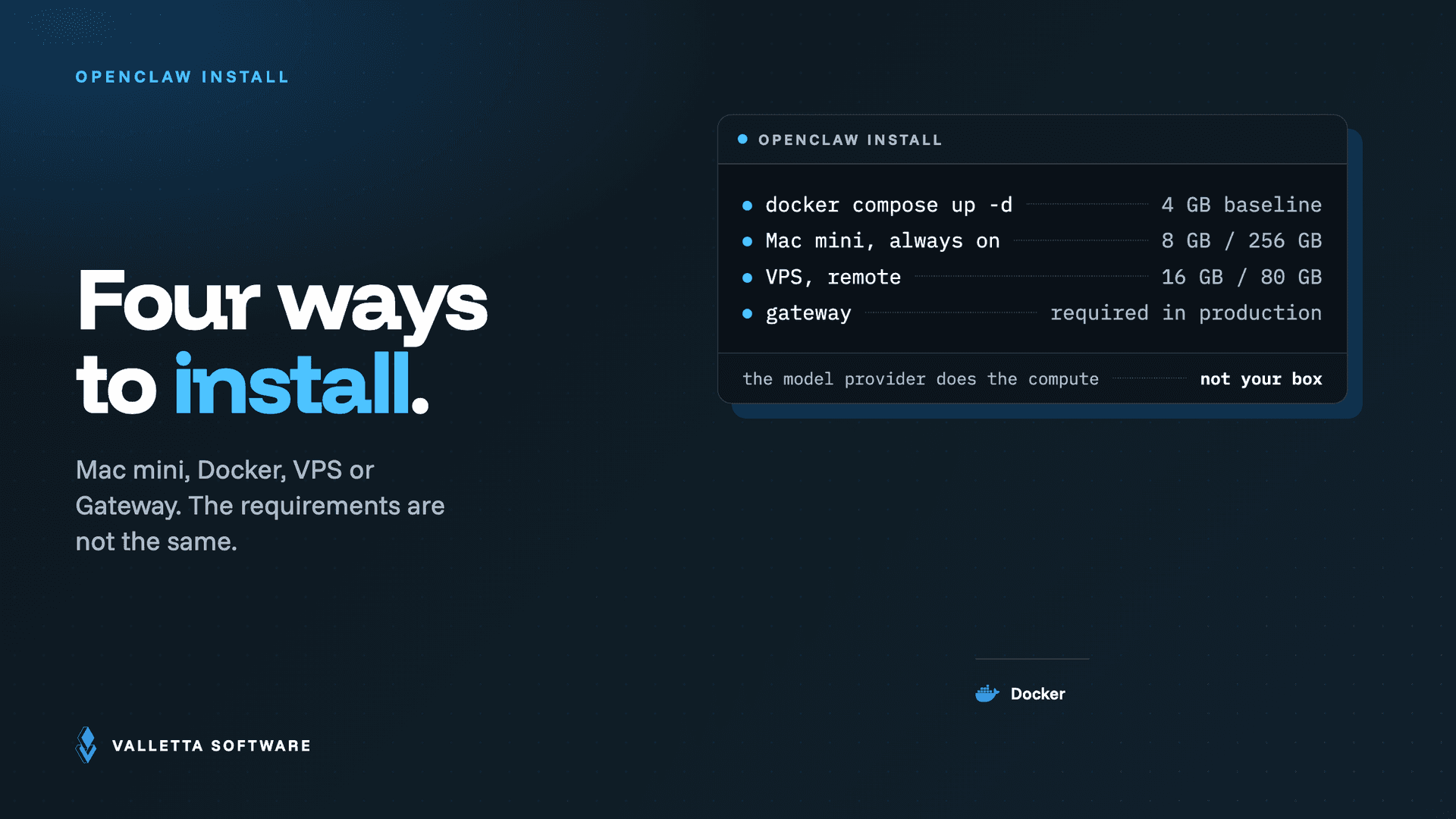

If you want to run OpenClaw in production, this guide gives you the fastest safe path. We’ll cover Mac Mini, Docker, VPS, and Gateway setup with practical commands, common errors, and a security baseline. If you would rather skip the manual setup, have us install and harden OpenClaw for you.
Need a done-for-you setup? See our OpenClaw setup services page and book a technical call.
What is OpenClaw (in one minute)
OpenClaw is an agent runtime and orchestration layer that helps teams run AI assistants with tools, memory, browser control, messaging, and workflow automation. A typical production stack includes:
- Agent runtime (main process)
- Gateway (network-facing service)
- Skills and tool integrations (HubSpot, Gmail, Sheets, etc.)
- Optional worker nodes for scale
Before you install OpenClaw
- Choose your environment: Mac Mini (local edge), Docker (portable), VPS (cloud server)
- Decide exposure model: private LAN, VPN-only, or public with reverse proxy
- Prepare secrets: API keys, OAuth credentials, webhook tokens
- Plan ownership: who controls infra, credentials, and incident response
Install path #1: OpenClaw on Mac Mini
Best for teams that want low-latency local automation and simple operations.
- Update system packages and security patches.
- Install OpenClaw runtime and verify service status.
- Configure gateway settings (allowed origins, auth tokens, TLS strategy).
- Connect required channels/tools and validate with smoke tests.
- Set auto-restart and scheduled health checks.
When to choose Mac Mini: local-office workflows, device integrations, controlled private environment.
Install path #2: OpenClaw with Docker
Best for reproducibility, CI/CD, and faster rollback.
- Create your
docker-compose.ymlwith persistent volumes for config and memory. - Inject secrets via environment variables or secret manager.
- Run health checks and restart policies.
- Put a reverse proxy in front (Nginx/Caddy/Traefik) for TLS and routing.
- Pin image versions for predictable deploys.
When to choose Docker: dev/stage/prod parity, container-native teams, clean release pipelines.
Install path #3: OpenClaw on a VPS
Best for internet-facing availability and centralized hosting.
- Harden server baseline (SSH keys only, firewall, fail2ban, automatic updates).
- Install runtime (native or Docker).
- Configure domain, TLS certificate, and reverse proxy.
- Restrict gateway endpoints with auth + allowlists.
- Add monitoring (uptime, logs, disk, memory, CPU, failed auth attempts).
When to choose VPS: remote teams, multi-client integrations, always-on deployments.
OpenClaw Docker setup: the current commands (2026 update)
The install flow moved to a single setup script. From the repo root, run the Docker setup, then bring the Gateway up with Docker Compose:
Updated July 2026: OpenClaw's Docker install now runs through a single setup script (./scripts/docker/setup.sh) plus Docker Compose, and the config, workspace, and auth-secret directories changed. The current commands and paths are in the new section below. If you are on a personal Mac, the official docs recommend the native install over Docker.
./scripts/docker/setup.sh

# use a prebuilt image instead of building locally
export OPENCLAW_IMAGE="ghcr.io/openclaw/openclaw:latest"
./scripts/docker/setup.sh

# start the Gateway, then open the dashboard
docker compose up -d openclaw-gateway
docker compose run --rm openclaw-cli dashboard --no-open
Setup creates three host directories and mounts them into the container: ~/.openclaw for config and memory, ~/.openclaw/workspace for files the agent can touch, and ~/.config/openclaw for auth secrets. On macOS, reach services running on your Mac (LM Studio on 1234, Ollama on 11434) through host.docker.internal rather than 127.0.0.1.
One caveat from the official docs: Docker is optional. If you already develop on your own Mac, the native install is the recommended path, and it avoids the Linux VM overhead Docker adds on macOS. Use Docker when you want an isolated, throwaway Gateway or a host without local installs.
OpenClaw hardware requirements
OpenClaw hardware requirements are modest: the Gateway and agent core run comfortably on 4 GB of RAM and 2 CPU cores because the heavy lifting happens in the model API, not on your machine. What you are really sizing for is concurrency (how many agents run at once), browser automation (each headless browser session adds roughly 500 MB of RAM), and log retention on disk.
| Deployment | Minimum | Recommended |
|---|---|---|
| Mac mini (home or office) | M-series, 8 GB RAM, 256 GB SSD | M-series, 16 GB RAM if you run browser automation |
| Docker on a home server | 2 vCPU, 4 GB RAM | 4 vCPU, 8 GB RAM, SSD for logs and cache |
| VPS (cloud) | 2 vCPU, 4 GB RAM, 40 GB disk | 4 vCPU, 8 GB RAM, 80 GB disk, snapshots enabled |
Gateway setup: production checklist
- Authentication: strong tokens/keys, rotate regularly
- Network controls: allowlist trusted origins and IPs
- TLS: HTTPS only in production
- Rate limits: protect from abuse and accidental loops
- Auditability: keep logs, action traces, and change history
- Backups: config + memory + critical job schedules
OpenClaw security baseline (minimum)
- Principle of least privilege for every integration.
- Separate credentials per environment (dev/stage/prod).
- No secrets in code or prompts.
- Restricted admin access and MFA wherever possible.
- Scheduled patching + dependency updates.
- Recovery drills: verify that restore actually works.
Common OpenClaw setup errors (and fixes)
1) Gateway starts but tools fail
Cause: missing env vars or invalid OAuth/app credentials.
Fix: validate each integration independently, then re-test end-to-end.
2) Browser automation works locally but fails on server
Cause: missing browser dependencies / wrong sandbox mode / no display strategy.
Fix: install required browser deps and use the recommended production profile.
3) Intermittent timeouts under load
Cause: no queueing/rate limits, low instance resources, or blocking workflows.
Fix: add throttling, split long jobs, and scale compute or workers.
4) Unexpected data access risks
Cause: broad permissions across tools.
Fix: narrow scopes, isolate projects, and review access monthly.
Architecture quick map (for stakeholders)
- Skills: capability packs that define specialized tool usage
- Memory: persistent context for continuity
- Gateway: secure bridge between clients/channels and agent runtime
- Automations: cron/heartbeats/events that execute repeatable tasks
For a deeper architecture walkthrough, read our companion guide: OpenClaw 2026 Guide.
How long does OpenClaw deployment take?
Typical setup is same day to 1-2 days for one environment with core integrations. In many cases, a working deployment is live in a few hours. More complex enterprise environments can take longer if security review, approvals, or multi-system testing are required.
Who should own OpenClaw after launch?
- Engineering owner: runtime, infra, release process
- Business owner: automation outcomes and KPIs
- Security owner: access review, audit, policy compliance
FAQ
What is the best way to install OpenClaw?
For most teams, Docker on VPS is the best balance of speed, repeatability, and control. Mac Mini is ideal for local/private workflows.
Should I use Docker or the native install on a Mac?
For a personal Mac, use the native install: the official docs recommend it, and Docker adds Linux VM overhead on macOS. Choose Docker when you want an isolated, throwaway Gateway, or a host with no local toolchain. Either way, the Gateway config lives in ~/.openclaw and auth secrets in ~/.config/openclaw.
Can I start with one integration and add more later?
Yes. Start with one high-impact integration (e.g., HubSpot or Gmail), validate ROI, then expand in controlled phases.
Is OpenClaw safe for production?
Yes, if deployed with proper gateway hardening, least-privilege credentials, TLS, and monitoring.
How do I avoid vendor lock-in?
Keep infrastructure, credentials, and configuration under your ownership, and document every integration contract.
Can your team set this up end-to-end?
Yes. We design, deploy, secure, and hand over OpenClaw environments with clear runbooks. Start here: OpenClaw setup services.
Next step: If you want a practical rollout plan for your stack, book a short discovery call and we’ll propose architecture, timeline, and integration scope.
Done-for-You OpenClaw Setup
Mac Mini, Docker, or VPS, we deploy OpenClaw with secure Gateway, monitoring, and audit logging baseline. Fixed scope, fixed price, two weeks from contract.
Key takeaways
- 3 viable install paths: Mac Mini (lowest cost), Docker (fastest setup), and VPS (production-ready).
- Gateway is mandatory in production: it isolates inbound message traffic from your agent runtime and enables audit logging.
- Common errors are predictable: port conflicts, missing API keys, and Docker socket permissions. Each fix is in the post.
- Total time from clean machine to running agent: 30 to 90 minutes depending on path. VPS path takes longest because of DNS and TLS setup.