

OpenClaw in 2026: Architecture, Setup, Skills Security, and a Hardened Enterprise Checklist
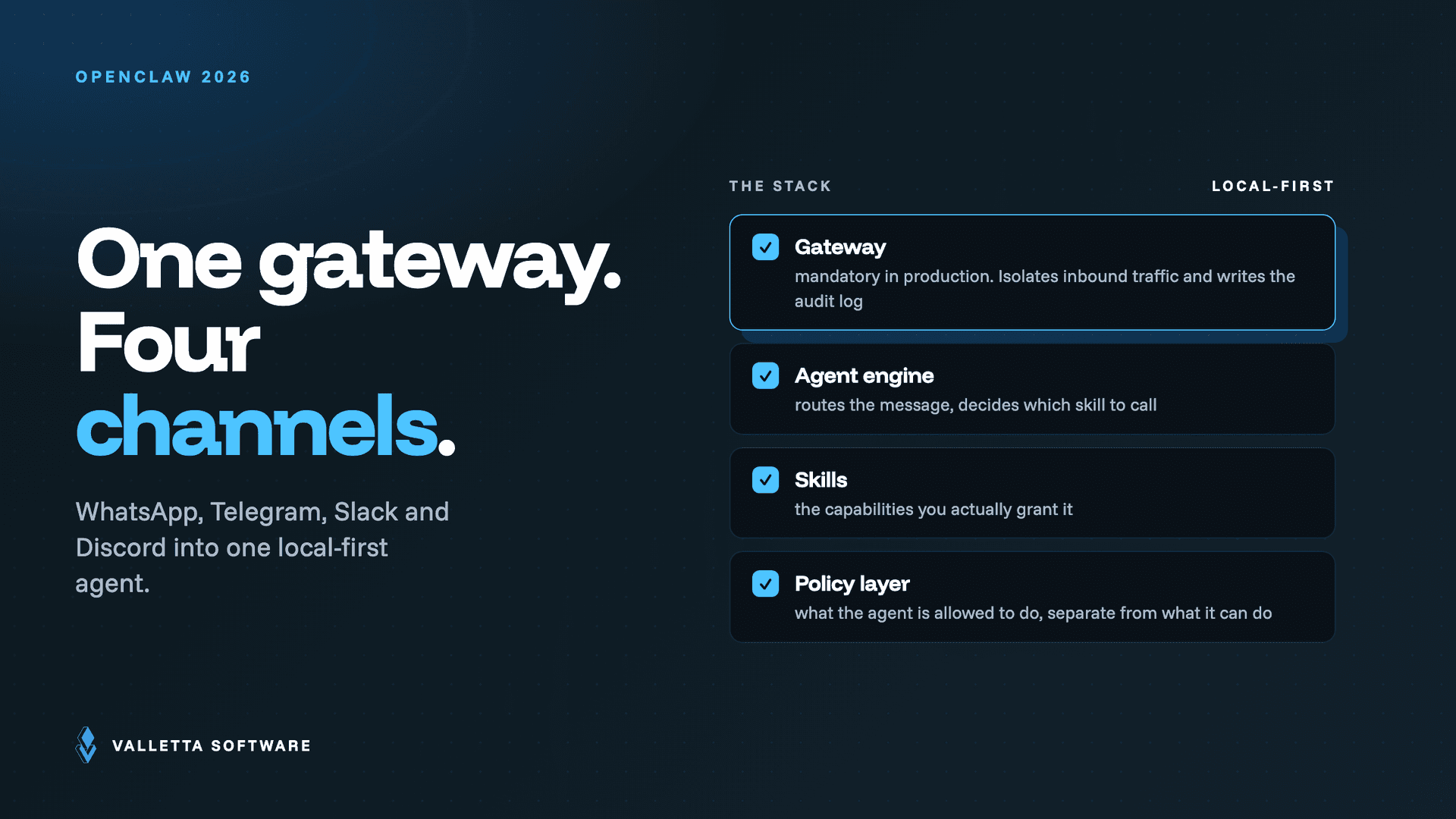

OpenClaw is an open-source, self-hosted AI agent that runs on your own hardware and connects to messaging apps you already use. Unlike browser-based chatbots, it behaves as an always-on autonomous agent: it receives requests from WhatsApp, Telegram, Slack, Discord, and other channels, reasons about them, chooses tools, and executes actions like sending messages, running scripts, and automating workflows. Everything is orchestrated through a local-first Gateway, a single control plane for sessions, channels, tools, and events. Building OpenClaw-based agents in production? talk to a dedicated AI development team.
OpenClaw tuning, telemetry, and runbook documentation
OpenClaw tuning and runbook documentation covers four operational areas: model and cost tuning, telemetry and accounting, observability, and incident runbooks. Teams that document all four before production deployment keep token spend predictable and cut incident response time when an agent misbehaves or a skill turns out to be malicious.
Updated July 2026: Two things changed since this guide first published. Hermes Agent, built by Nous Research, has become the main open-source alternative to OpenClaw, so we added a direct comparison below. And ClawHub, the OpenClaw skill registry, expanded its supply-chain defenses after the ClawHavoc campaign: it added the ClawScan code scanner and, on June 1, 2026, a skill-screening partnership with NVIDIA. Both are covered in the sections below.
| Area | What to document | Where it lives |
|---|---|---|
| Model and cost tuning | Model choice per task type, token budgets, cache settings | Gateway configuration |
| Telemetry and accounting | Per-agent token usage, spend by workflow, monthly reports | Usage dashboard |
| Observability | Logs, traces, alert thresholds for anomalous actions | Monitoring stack |
| Incident runbook | Kill switch, token rotation, rollback steps, escalation contacts | Team wiki |
Token spend is the fastest-growing line item: see OpenClaw cost control for budgets and caps. Planning a rollout? Hire AI developers who ship production agent deployments.
Key takeaways
- OpenClaw is an open-source, self-hosted AI agent that runs on your own hardware.
- Connects to WhatsApp, Telegram, Slack, Discord via a local-first Gateway. Behaves as an always-on autonomous agent, not a browser chatbot.
- Deployment options: laptop, home server, or VPS. Setup commands work on all three.
- Most valuable for businesses with privacy or compliance constraints on cloud AI services.
In under three months, the project went from zero to over 196,000 GitHub stars, 600+ contributors, and 10,000 commits. That explosive growth also attracted attackers: security researchers have found hundreds of malicious skills on ClawHub, the project's public skill registry. For teams evaluating OpenClaw, the real question is not whether it can automate tasks (it clearly can) but how to deploy it without opening a supply chain attack surface.
This guide covers the architecture, installation commands, skill ecosystem risks with concrete data, and a hardened security checklist you can paste into your runbook.
Need implementation help? See our OpenClaw setup services for production rollout support.
What is OpenClaw?
OpenClaw (formerly Clawdbot, then briefly Moltbot) is a free, MIT-licensed AI agent framework created by Austrian developer Peter Steinberger, who previously founded PSPDFKit. The project launched in November 2025 and went viral in late January 2026 after trademark disputes with Anthropic forced two rebrands in four days, each generating a fresh wave of tech press coverage.
At its core, OpenClaw is a long-running Node.js service that connects LLMs (Anthropic, OpenAI, local models, and others) to your local machine and your messaging apps. The key architectural pieces are:
- Gateway: the always-on control plane that manages sessions, channel routing, tool dispatch, and events. It binds to port 18789 by default and serves both a Control UI and a WebChat interface.
- Channels: messaging integrations including WhatsApp, Telegram, Slack, Discord, Signal, iMessage, Google Chat, Microsoft Teams, Matrix, Zalo, and others (50+ at time of writing).
- Skills: add-ons that extend the agent's capabilities. Skills can be bundled (built-in), managed (from ClawHub), or workspace-level (local). Each skill is defined by a
SKILL.mdfile and can include scripts and resources. - Tools: built-in capabilities like browser automation, file system access, shell execution, cron scheduling, webhooks, and camera/screen recording.
The framing matters: OpenClaw is not a chatbot. It is an agent runtime with system-level access. That distinction drives every security decision downstream.
Why OpenClaw grew so fast
Three factors converged in January and February 2026:
Viral momentum. The trademark-forced rebrands (Clawdbot → Moltbot → OpenClaw) kept the project in headlines for days. The launch of Moltbook, a satirical social network populated entirely by AI agents, added fuel. By February 2, the repo was gaining over 10,000 stars per day. Simon Willison called Moltbook one of the most interesting experiments on the internet. Andrej Karpathy described the project's trajectory as resembling science fiction.
Real utility. Unlike many AI demos, OpenClaw connects to tools people actually use. It automates workflows across messaging, email, calendars, GitHub, Notion, Trello, smart home devices, and more, all from a single conversational interface.
Open-source timing. The project launched MIT-licensed just as demand for self-hosted AI agents peaked. On February 14, 2026, Steinberger announced he was joining OpenAI and that OpenClaw would continue under an independent open-source foundation.
For teams, rapid popularity is a double-edged sword: you get more contributors, integrations, and documentation, but attackers target popular ecosystems aggressively, especially ones with minimal vetting on skill submissions.
How the local-first Gateway works
The Gateway is the architectural center of OpenClaw. Understanding it is prerequisite to securing a deployment.
The Gateway runs as a daemon (or systemd service) on your machine, whether that's a laptop, Mac Mini, home server, or VPS. It stays running continuously, listening for inbound messages from connected channels. When a message arrives, the Gateway routes it to an agent session, which invokes the configured LLM, optionally calls tools or skills, and sends the response back through the originating channel.
Key design details that matter for operations:
- Single-user by design. OpenClaw is built as a personal assistant. Multi-tenant patterns require explicit workspace separation.
- Credentials stored locally. API keys, OAuth tokens, WhatsApp credentials, and Telegram bot tokens are stored under
~/.openclaw/in plaintext Markdown and JSON files. Security researchers have warned that this directory structure is already being targeted by commodity infostealers like RedLine and Lumma. - Default bind is
0.0.0.0:18789, which exposes the API to all network interfaces. Best practice is to bind to loopback only and access remotely via SSH tunnels or Tailscale Serve. - DM pairing defaults. Inbound direct messages require explicit pairing (a code-based approval flow) before the agent processes them. Public inbound DMs require a separate opt-in. Keep these defaults.
Setup: install commands and onboarding
The official getting started guide recommends the CLI onboarding wizard, which works on macOS, Linux, and Windows (PowerShell).
Prerequisites
You need Node 22 or newer. Check with node --version if you are unsure.
Step-by-step install (CLI)
Fastest path to a first chat: you do not need to set up any channel first. After install, run openclaw dashboard and chat directly in the browser via the Control UI.
To run the Gateway in the foreground for quick tests or troubleshooting:
To send a test message through a configured channel:
Useful environment variables for custom deployments: OPENCLAW_HOME (override home directory), OPENCLAW_STATE_DIR (override state directory), and OPENCLAW_CONFIG_PATH (override config file path). Full reference in the environment variables docs.
Alternative install methods include Nix packages, Docker, and DigitalOcean's 1-Click Deploy (starting at $24/month with security hardening pre-configured). See the full install docs for all options.
What you will have after setup
After completing the wizard, you will have: a running Gateway, auth configured, and Control UI access or a connected channel. From here, the next steps documented are DM safety and pairing, connecting more channels, and advanced setup.
What "production-ready" actually means
For OpenClaw, production is not just uptime. It is governance. Before exposing the agent to real channels, answer these questions:
- Which channels can reach the agent, and who is in the pairing allowlist?
- Which tools are enabled? (Filesystem, shell, browser automation are powerful but expand blast radius.)
- Which third-party skills are installed, and have you reviewed their source?
- Is the Gateway bound to loopback, or is it exposed to the network?
Skills: where OpenClaw gets leverage and where risk concentrates
Skills are how OpenClaw becomes useful beyond simple chat. They connect the agent to external systems, add domain-specific logic, and enable automation patterns like CRM updates, support triage, incident response, and personal productivity workflows.
Common B2B automation patterns
- CRM hygiene: create/update contacts, enrich company records, summarize deal notes
- Support triage: classify inbound tickets, draft responses, escalate with context
- Ops workflows: incident summaries, status updates, runbook checklists in Slack or Teams
- DevOps: GitHub PR summaries, deployment triggers, cron-based monitoring
- Personal productivity: inbox follow-ups, meeting recaps, reminder scheduling
The ClawHub supply chain problem: real data
ClawHub is the public marketplace where users discover and install skills. It has grown to over 3,500 entries. To publish a skill, you need a GitHub account that is at least one week old. There is no code signing, no mandatory security review, and no sandbox by default.
Multiple independent security audits have documented large-scale malicious skill campaigns:
- Koi Security audited 2,857 ClawHub skills and found 341 malicious entries (roughly 12% of the registry). The primary campaign, codenamed ClawHavoc, distributed Atomic Stealer (AMOS), a commodity macOS infostealer. Skills used names like "solana-wallet-tracker" and "youtube-summarize-pro" with professional-looking documentation. (The Hacker News)
- Bitdefender scanned the broader registry and flagged nearly 900 malicious skills (~20% of total packages). One skill masquerading as a Polymarket trading bot opened a reverse shell to the attacker's server. (Bitdefender Labs)
- Snyk analyzed skills in its ToxicSkills study and found that 36% of skills contain security flaws, with 1,467 vulnerable skills and 76 confirmed malicious payloads. (Snyk)
- VirusTotal (now integrated with ClawHub for scanning) has analyzed over 3,016 skills, with hundreds showing malicious characteristics. A single publisher, "hightower6eu," uploaded 314+ malicious skills alone. (VirusTotal Blog)
- Cisco's AI Defense team tested the top-ranked community skill ("What Would Elon Do?") and found nine security vulnerabilities, two critical, including data exfiltration and prompt injection.
The pattern across all these reports is consistent: attackers use professional-looking skill documentation with fake "prerequisites" that trick users into running malicious terminal commands. As 1Password's security team noted, the skill format (SKILL.md + scripts) is portable across agent ecosystems, making this a preview of how all AI agent supply chains will be targeted.
OAuth vs API keys for SaaS integrations
When connecting skills to external platforms, prefer OAuth over long-lived API keys. OAuth uses scoped, time-limited authorization tokens instead of static credentials, which limits blast radius if a token is compromised. Most major SaaS platforms (HubSpot, Salesforce, GitHub, Google) support OAuth flows for programmatic access.
Security: your threat model must be explicit
OpenClaw can read/write files, run shell commands, control browsers, access email, and interact with dozens of external services. That power is the product, but it also means a single compromised skill inherits all of those permissions.
Known vulnerabilities and exposures
- CVE-2026-25253 (CVSS 8.8): a now-patched one-click RCE where a malicious web page could leak the Gateway auth token via WebSocket and execute arbitrary commands on the host.
- 30,000+ publicly exposed instances found by Censys, because the default bind (
0.0.0.0) exposes the API to the internet when deployed on a VPS without a firewall. - Credentials stored in plaintext under
~/.openclaw/, a structure that security researchers expect to become a standard infostealer target.
A hardened security checklist (copy this into your runbook)
- Bind Gateway to loopback only. Set
gateway.bind: "loopback"in config. Access remotely via SSH tunnels or Tailscale Serve. Never expose port 18789 publicly. - Keep DM pairing enabled for all channels (Telegram, WhatsApp, Slack, Discord, Teams). Only approve known users via pairing codes and keep the allowlist minimal.
- Do not open public inbound DMs unless you have a controlled, enterprise-grade reason and additional filtering in place.
- Treat every skill as executable supply chain code. Review source before installing. Pin versions. Never run obfuscated terminal commands from skill documentation.
- Avoid ClawHub skills that require "prerequisites" involving
curl | bashor downloading external binaries. This is the primary malware delivery mechanism documented by Koi, Bitdefender, and VirusTotal. - Prefer OAuth over long-lived API keys for all SaaS integrations.
- Separate workspaces for personal and company automation. A compromised personal channel should not be able to pivot into business systems.
- Apply least privilege. Only enable filesystem, shell, and browser automation tools when the use case genuinely requires them.
- Encrypt or relocate
~/.openclaw/credentials/. The default plaintext storage is a known target. Consider using system keychain integration or a secrets manager. - Log and monitor skill installs, tool calls, and outbound network requests. Set up alerts for unexpected WebSocket connections or config file changes.
- Do not run OpenClaw on a corporate device without IT approval. Bitdefender's telemetry shows employees are already deploying agents on work machines as "Shadow AI," creating unmonitored, high-privilege entry points.
- Keep OpenClaw updated. Security patches ship frequently; check the releases page and apply updates promptly.
OpenClaw vs Hermes Agent: the 2026 open-source rivalry
By mid-2026 the open-source agent conversation narrowed to two projects: OpenClaw and Hermes Agent. Both are local-first, model-agnostic, and MIT-licensed, but they optimize for different things. OpenClaw is the broader, older project (over 300,000 GitHub stars by mid-2026, written in TypeScript, with sponsors including OpenAI, GitHub, NVIDIA, and Vercel). It wins on reach: more than 15 messaging platforms, the largest skill ecosystem, and a commercial SaaS option. Hermes Agent, built by the open-source lab Nous Research in Python, is smaller (roughly 160,000 stars) and self-hosted only. It leans on a more conservative security design and on memory that adapts over time.
The practical split: pick OpenClaw when you want an agent that is everywhere your team already works and you are ready to own its security. Pick Hermes Agent when you want a tighter default security posture and an agent that learns your patterns over time, and you do not need wide channel coverage. For most B2B automation on messaging channels, OpenClaw remains the default, which is why the rest of this guide focuses on running it safely.
| Criteria | OpenClaw | Hermes Agent |
|---|---|---|
| Built by | Peter Steinberger, now foundation-maintained (ex-Moltbot) | Nous Research |
| Language | TypeScript | Python |
| License | MIT, plus a commercial SaaS option | MIT, self-hosted only |
| Strength | Breadth: 15+ channels, largest skill ecosystem | Conservative security, memory that adapts over time |
| Best when | You want the agent on every channel and will own hardening | You want a tighter default posture and on-device learning |
OpenClaw vs alternatives: quick comparison
Deployment options: laptop, home server, or VPS?
- Local-only (laptop/desktop): best for personal workflows. Lowest external exposure. Agent only runs when your machine is on.
- Dedicated home server (Mac Mini is popular): always-on, local-first. Secure remote access with Tailscale or SSH. Keep Gateway bound to loopback.
- VPS: stable 24/7 availability. Higher exposure risk if misconfigured. DigitalOcean offers a security-hardened 1-Click Deploy. Treat like production infra: firewall, minimal open ports, strict secrets management, and a curated skill allowlist.
Regardless of deployment mode, the primary risk pattern is not "AI went rogue." It is "permissions and supply chain got sloppy." Every documented incident traces back to either an unsafe skill install, an exposed Gateway port, or credentials left in plaintext.
When OpenClaw is the right choice (and when it is not)
Good fit
- You want an agent that lives in Slack, Teams, Telegram, or WhatsApp, not in a browser tab.
- You need local-first control, self-hosting, and data sovereignty.
- Your team can enforce a security policy for channels, tools, and skills.
- You have developer-level comfort with CLI, Node.js, and API key management.
Not a good fit
- You cannot review third-party skill code or enforce install policies.
- You need a fully managed SaaS with centralized admin controls and vendor liability.
- Your users will open inbound DMs to the public and expect safety by default.
- You want to deploy on corporate devices without IT governance in place.
FAQ
Is OpenClaw self-hosted?
Yes. OpenClaw is designed to run on your own devices with a local-first Gateway. All data, credentials, and agent state stay on your machine (though LLM inference calls go to your chosen model provider unless you run a local model).
How many GitHub stars does OpenClaw have?
As of mid-February 2026, OpenClaw has surpassed 196,000 GitHub stars with 600+ contributors, making it one of the fastest-growing open-source repositories in history.
How do I keep OpenClaw safe on Telegram, Slack, or WhatsApp?
Keep DM pairing enabled (this is the default). Only approve known users via pairing codes and maintain a minimal allowlist. Do not enable public inbound DMs without additional filtering and a clear enterprise use case.
Are OpenClaw skills safe?
Skills vary widely. Security audits have found that 12 to 20% of ClawHub skills are malicious, depending on the study. Treat every skill as executable code: review the source, pin versions, and never run obfuscated terminal commands from skill documentation. OpenClaw now integrates VirusTotal scanning for ClawHub submissions, but this is not a guarantee of safety.
What is ClawHub?
ClawHub is the public marketplace for OpenClaw skills. Anyone with a GitHub account older than one week can publish. The low barrier has made it a target for supply chain attacks, with multiple coordinated malware campaigns documented since late January 2026.
Should I use OpenClaw or Hermes Agent?
Use OpenClaw if you want an agent that runs across many messaging channels with the largest skill ecosystem, and you are prepared to harden it yourself. Use Hermes Agent, the Nous Research framework, if you prefer a more conservative default security posture and memory that adapts over time, and you do not need wide channel coverage. Both are MIT-licensed and local-first: OpenClaw is the broader project, Hermes Agent the more security-conservative one.
Does OpenClaw support business messaging channels?
Yes. OpenClaw supports a multi-channel inbox with 50+ integrations including WhatsApp, Slack, Discord, Telegram, Signal, iMessage, Google Chat, Microsoft Teams, Matrix, and more.
What happened to Clawdbot and Moltbot?
They are the same project. Clawdbot was renamed to Moltbot on January 27, 2026, following a trademark complaint from Anthropic, then renamed again to OpenClaw three days later. The ~/.openclaw/ config directory (formerly ~/.clawdbot/) reflects this history.
Ship OpenClaw to Production with a Senior Team
Valletta Software's dedicated AI development team designs, deploys and hardens OpenClaw-based agent systems for SaaS and enterprise. EU contract, AI Act aware, observability and security built in.