

Google Search Console Now Tracks Your Instagram and TikTok
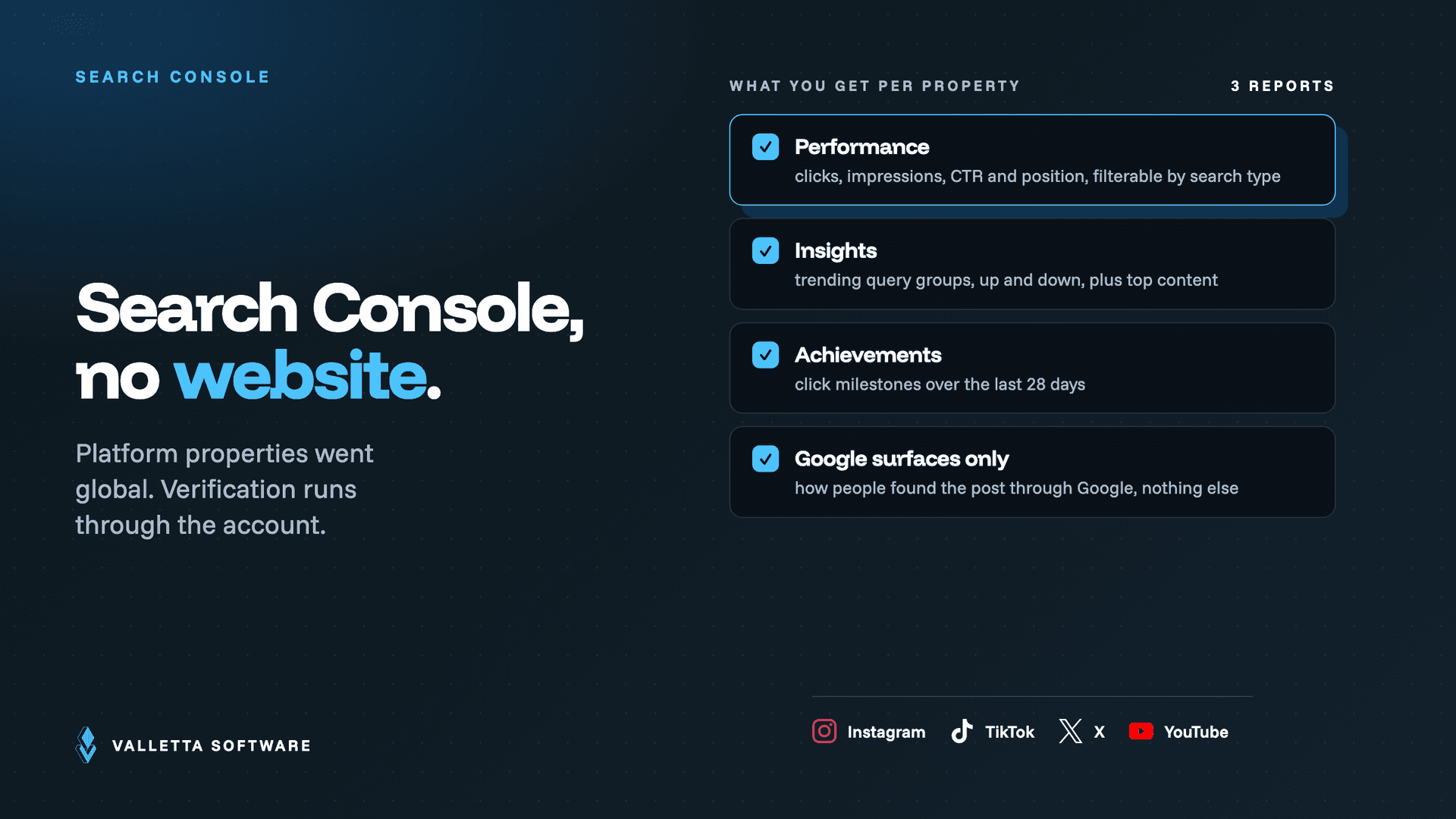

Google Search Console platform properties are now live worldwide. As of Wednesday, July 29, 2026, any creator or publisher can add an Instagram, TikTok, X, or YouTube account as a Search Console property and see the clicks, impressions, and actual search queries that Google Search, Discover, and Google News send to those posts. You do not need to own a website to use it.
Key takeaways
- Platform properties are a Search Console property type for social and video accounts. Supported platforms are Instagram, TikTok, X, and YouTube. Google confirmed global availability on July 29, 2026, roughly three weeks after the initial announcement earlier in the month.
- This is the first Search Console property you can verify without owning a domain. Verification runs through the platform account itself, so creators with no website of their own now get first-party Google Search data for the first time.
- You get three reports per property: Performance (clicks, impressions, average CTR, average position, filterable by search type), Insights (trending up and trending down query groups, top content), and Achievements (click milestones, such as crossing a new threshold in the last 28 days).
- The data covers Google surfaces only. It tells you how people found your post through Google Search, Discover, and News. It says nothing about reach inside the TikTok or Instagram app, so it does not replace native platform analytics.
- The genuinely new capability is query-level data. Native social analytics tell you a Reel got 40,000 views. Search Console tells you which search terms brought people to it, which is the input you need to write captions and titles that get found.
- Expect data within about 48 hours of verifying. If you already set up a Google Search profile for the same platform, Google says the data should already be there.
Published July 30, 2026. Platform properties reached global availability on July 29, 2026, announced by Daniel Waisberg and Lizzi Sassman of Google's Search relations team in the Search Central Blog. Report structure, setup steps, and the 48 hour data delay come from launch coverage by Search Engine Journal and Semrush; everything about the global rollout and the analysis guide is quoted from Google's own announcement. Where a figure comes from secondary reporting rather than Google, this article says so.
What Search Console platform properties actually are
A platform property is a new property type in Google Search Console that represents a social or video account instead of a website. Until now every Search Console property was either a Domain property or a URL prefix property, and both required you to prove control of a domain. Platform properties break that requirement. You verify by connecting the platform account, and Search Console then reports on how the posts in that account perform on Google.
Google's framing in the announcement is direct about why: publishers now reach audiences "through a diverse range of channels beyond websites." A brand whose best-performing content is a TikTok series had no first-party view of how Google was sending traffic to it. Now it does.
Two dates matter. The feature was first announced earlier in July 2026, credited to Moshe Samet, Product Manager Lead for Search Console, in Search Engine Journal's coverage, and it rolled out gradually from there. On July 29, 2026 Google published a follow-up confirming platform properties are "globally available to everyone," alongside a new guide on analyzing social and video content performance.
How to add a platform property
Setup takes under a minute and does not involve DNS records, HTML files, or a tag manager.
- Open Search Console and click the property selector in the top left.
- Choose Add property.
- Pick the platform property type, then pick Instagram, TikTok, X, or YouTube.
- Authorize the connection to that account when the platform prompts you.
- Wait for data. Reporting typically appears within about 48 hours of verification, per launch coverage.
One shortcut worth knowing: Google notes that if you already set up a Google Search profile for a given platform, you should already have access to that platform's data in Search Console without doing anything else. Check your property list before you start clicking.
The three reports, and what each one is for
Performance and Insights are where the work happens. Achievements is a milestone tracker, useful in a monthly deck and not much else.
What Google's own guide tells you to do with it
The July 29 announcement shipped with a guide, and the tactics Google highlights are more specific than the usual launch-post filler. Five are worth acting on immediately.
Read the query groups, not just the queries. The Insights report clusters search terms into themes and flags which are trending up and which are trending down. Google's own suggested use is to treat those themes as "data-driven inspiration for your next video topic, caption, or hashtag strategy." That is a content calendar input, generated from real demand rather than a keyword tool's estimate.
Use the 24 hour filter to catch spikes while they matter. A post picking up sudden Google traffic is worth cross-promoting on your other channels that day, not in next month's report.
Export several properties into one sheet. Google explicitly suggests exporting performance data from multiple properties into a single spreadsheet to compare YouTube against Instagram against X against TikTok side by side. This is the first time that comparison has been possible on a like-for-like Google-traffic basis.
Look for old content regaining traction. Videos that start climbing again are candidates to pin to your feed or expand into a follow-up. Search traffic decay and recovery are visible here in a way they never were in native analytics.
Annotate your changes. Search Console annotations let you mark the date you rewrote a YouTube title or a TikTok caption, then watch whether search performance actually moved. That turns caption edits from guesswork into a testable change, which is exactly the discipline that separates SEO from posting and hoping.
What this data does not tell you
Three limits are worth stating plainly, because the launch chatter has been blurring them.
Why this matters if you never touch a social account
The interesting part of platform properties is not social media. It is that Google is now willing to report search performance for content it does not host and you do not own the domain for. That is the same directional move as AI Overviews summarising your content without a click: the surface where discovery happens keeps drifting away from your website, and measurement is following it.
If you have been treating Search Console as a website tool, this is the moment to widen the definition. We made a version of this argument working through GEO for e-commerce and the path from 500k queries to AI citations: the job is no longer ranking a URL, it is being the source that gets surfaced, wherever the surfacing happens. Platform properties are Google handing you a measurement layer for one more of those surfaces.
There is also a practical read for anyone building content operations with AI in the loop. Query-level demand data across four platforms, refreshed daily, is exactly the kind of input that makes automated content workflows produce something other than generic output. It is the same principle we described in our agentic coding process: the quality of what an agent produces is bounded by the quality of the context you hand it. Real search queries are better context than a content brief someone invented.
FAQ
What are platform properties in Google Search Console?
Platform properties are a Search Console property type that represents a social or video account rather than a website. You can add Instagram, TikTok, X, and YouTube accounts, and Search Console then reports the clicks, impressions, CTR, average position, and search queries that Google Search, Discover, and Google News send to that account's content. They became globally available on July 29, 2026.
Do I need a website to use Search Console platform properties?
No. This is the first Search Console property type that does not require domain ownership. Verification happens by authorizing the platform account itself, which means creators and social media managers with no website at all can now get first-party Google Search data.
Which platforms are supported?
Instagram, TikTok, X, and YouTube. Google has not announced support for other platforms.
Does this mean social media is now a Google ranking factor?
No. Platform properties are a reporting feature. Google is measuring social and video content that already surfaces in Search, Discover, and News, and has made no claim that social activity influences rankings. Treat the launch as new visibility into existing behaviour, not a change to how ranking works.
How long until I see data after connecting an account?
Roughly 48 hours after verification, according to launch coverage. If you had already created a Google Search profile for the same platform, Google says the data should already be available to you in Search Console.
Does this replace TikTok or Instagram analytics?
No, and it is not trying to. Native analytics cover in-app reach, watch time, and follower behaviour. Search Console covers Google-sourced discovery only. The two answer different questions, and the query-level data in Search Console is the part you cannot get anywhere else.
The short version
Connect your accounts today, because the reports have no backfill and the data only starts accumulating once you verify. Then give it two weeks and read the Insights report before you plan your next month of content. The trending up query groups are the most useful free content research Google has handed out in years, and right now almost nobody is looking at them.
Turn the data into something that runs by itself
Google's advice is to export each property to a spreadsheet and compare them by hand. That works once. It does not work every week, across four platforms, joined to your own analytics, for a team that needs it in a dashboard they already open. That part is a build, not a report.
Valletta Software Development builds exactly this kind of plumbing: API integrations, data pipelines, and the internal tools and dashboards that sit on top of them. If you want your Search, social, and product data in one place instead of five tabs, tell us what you are trying to see and we will scope it. See our AI development services cost breakdown for what that typically runs.