

OpenClaw Hardware Requirements: What You Need (2026)
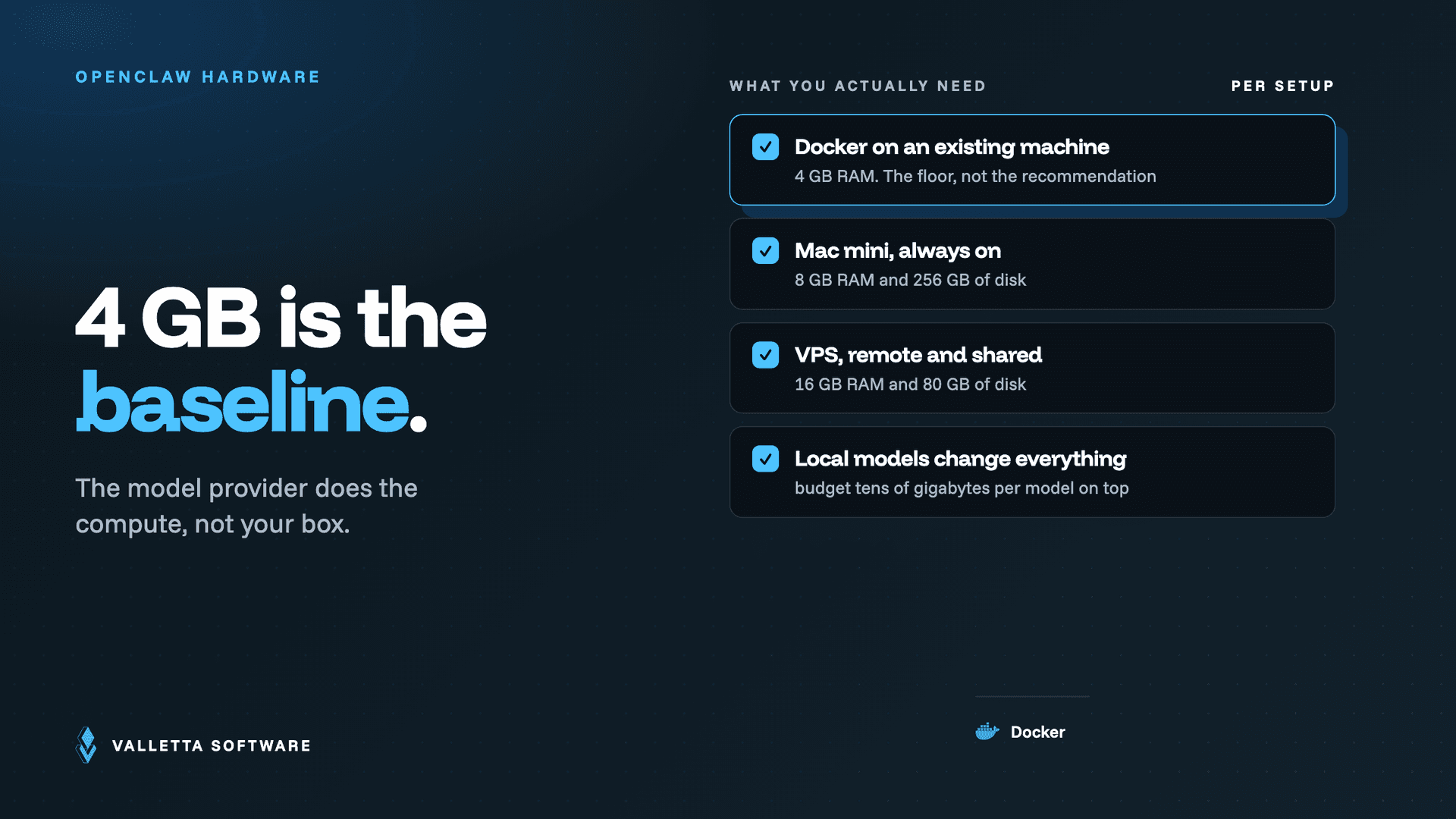

OpenClaw hardware requirements are modest: for an API-based setup, the Gateway and agent core run comfortably on about 4 GB of RAM and 2 CPU cores, which fits a laptop, a Mac mini, a small home server, or an entry-level VPS. The reason is simple: the heavy computation happens in the model API, not on your machine. What you actually size for is concurrency, browser automation, and log retention, not raw model horsepower.
Key takeaways
- For API-based deployments, 4 GB RAM and 2 CPU cores is a realistic minimum. The model provider does the compute, not your box.
- Recommended specs jump to 8 GB RAM and 4 vCPU once you add browser automation, several concurrent agents, or high message volume.
- A GPU is not needed for API setups. It only matters if you run local models on your own hardware.
- Choose the machine by operating model, not by benchmark: Mac mini for local edge, Docker on a home server for portability, VPS for always-on uptime.
Minimum vs recommended specs
The numbers below reflect practical deployment experience across the three common environments. Treat the minimum column as "enough to run a single-user agent with a couple of integrations" and the recommended column as "comfortable once you add browser automation, more channels, or concurrency." The official documentation at docs.openclaw.ai lists Node 22 or newer as the one hard software prerequisite.
| Deployment | Minimum | Recommended |
|---|---|---|
| Mac mini (home or office) | M-series, 8 GB RAM, 256 GB SSD | M-series, 16 GB RAM if you run browser automation |
| Docker on a home server | 2 vCPU, 4 GB RAM | 4 vCPU, 8 GB RAM, SSD for logs and cache |
| VPS (cloud) | 2 vCPU, 4 GB RAM, 40 GB disk | 4 vCPU, 8 GB RAM, 80 GB disk, snapshots enabled |
The Mac mini minimum looks higher than the server minimum only because Apple's base configurations start at 8 GB and 256 GB. OpenClaw itself does not need that much for a basic API setup. On any of these machines, disk is usually the resource that surprises people, because logs and cached context grow over time. For the exact install commands on each platform, see our how to install OpenClaw guide.
Deployment options compared: Mac mini vs home server vs VPS
Hardware sizing is only half the decision. Where you run OpenClaw shapes your cost, control, and uptime more than the spec sheet does:
- Mac mini (local edge): a one-time hardware cost, full physical control, and low-latency local automation. The tradeoff is uptime: it depends on your home or office power and network, so it is best for local-office workflows and device integrations.
- Docker on a home server (portable): the best balance of reproducibility and control. Pinned image versions give clean rollbacks and dev/prod parity. Uptime still depends on your own infrastructure, but containers make recovery fast.
- VPS (always-on): ongoing monthly cost, less physical control, but the best uptime and internet-facing availability. This is the right choice for remote teams, multi-client integrations, and agents that must always be reachable.
Most teams start on a Mac mini or laptop to learn the tool, then move to Docker on a VPS for anything that needs to be always on. Our OpenClaw setup guide covers the architecture and hardening steps that go with each option.
What actually drives OpenClaw resource usage
If you want to predict how much machine you need, look at these four drivers rather than at the model name:
- API models vs local models: when the model runs in the cloud, your machine mostly shuttles requests and stays light. Running a local model instead moves inference onto your hardware and changes the sizing conversation entirely (more on that below).
- Concurrent agents: each agent session running at once consumes memory. A single personal assistant is cheap; a dozen parallel workflows is not.
- Browser automation: each headless browser session adds roughly 500 MB of RAM. This is the most common reason a 4 GB box starts swapping, and the main reason to jump to 8 GB.
- Message volume and log retention: high throughput plus verbose logs fills disk and adds I/O. Budget SSD headroom and a log rotation policy for busy deployments.
A useful way to reason about it: RAM is set by concurrency and browser sessions, disk is set by message volume and how long you keep logs, and CPU rarely becomes the bottleneck at all in an API setup. If you know roughly how many agents will run at once and whether any of them drive a browser, you can size the machine before you install a thing. When in doubt, start at the recommended tier for a home server (4 vCPU, 8 GB RAM) and scale down only if telemetry shows you are over-provisioned.
Because token spend usually grows faster than hardware cost, the resource worth watching most closely is often your model bill, not your RAM. Our OpenClaw cost control guide covers budgets and caps.
When hardware barely matters
For the most common configuration, an API-based setup with one or two integrations and no local model, hardware is almost a non-issue. The Gateway is a lightweight, long-running service, and the model provider absorbs the compute-heavy work. In that setup, a modest VPS or a spare Mac mini is plenty, and you would notice a slow network or a rate-limited API long before you noticed a CPU bottleneck. The practical guidance: do not over-buy hardware for an API deployment. Spend the attention on security hardening and token budgeting instead, because those are what actually constrain a healthy OpenClaw install.
The exception is running local models. The moment you swap a hosted API for a model on your own box, inference moves onto your hardware, and RAM and GPU become the binding constraints. That is a fundamentally different sizing exercise driven by the specific model you choose, and it is the one scenario where a capable GPU is worth budgeting for.
Frequently asked questions
Can OpenClaw run on a Raspberry Pi?
For a lightweight, API-based setup it can, since the Gateway is not compute-heavy and a Raspberry Pi 4 or 5 with 4 GB or more of RAM clears the basic bar. Expect to skip browser automation and heavy concurrency, and do not attempt to run local models on it. Treat it as a personal, low-traffic deployment rather than a production host.
How much RAM does OpenClaw need?
About 4 GB is a workable minimum for an API-based deployment, and 8 GB is the comfortable recommendation once you add browser automation or run several agents at once. Remember that each headless browser session adds roughly 500 MB, which is usually what pushes a setup past 4 GB.
Do I need a GPU for OpenClaw?
No, not for the common case. When OpenClaw calls a hosted model API, the provider runs the model on their GPUs, so your machine does not need one. A GPU only becomes relevant if you choose to run a local model on your own hardware, in which case the model you pick determines the GPU you need.
Does OpenClaw need a powerful CPU?
No. Two CPU cores handle a typical API-based single-user deployment because the model does the reasoning. More cores help only when you run many concurrent agents or heavy browser automation, where four vCPU is a comfortable ceiling for most teams.
Want the sizing and hardening decided for you? Our engineers spec, deploy, and secure production OpenClaw environments end to end. See our OpenClaw setup services.