

OpenClaw Cost Control: How to Reduce Token Spend with Anthropic
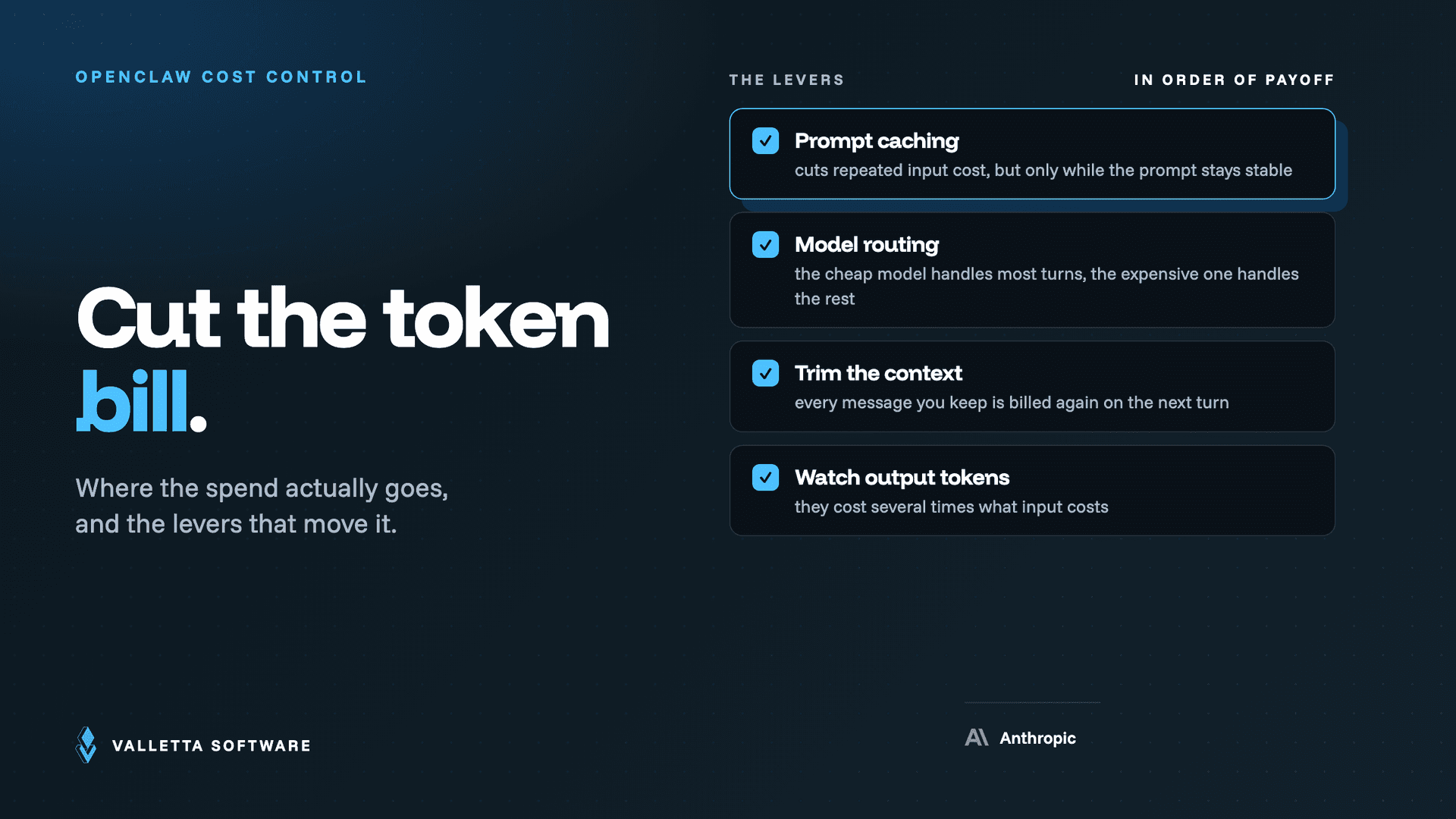

Anthropic API pricing looks simple at first: you pay for input tokens and output tokens. But once you connect Anthropic models to OpenClaw, the real bill often comes from something else, recurring heartbeats, repeated context loading, long-running sessions, and overly large prompts.
If you want to control OpenClaw costs, you need to understand both sides of the equation: Anthropic model pricing and OpenClaw runtime behavior. This guide explains current pricing, usage tiers, spend limits, and the settings that reduce token spend fastest.
Quick Answer
Anthropic API pricing is token-based, but OpenClaw costs are often driven more by heartbeats, repeated context loading, and output length than by direct chat usage. The fastest cost reductions usually come from using Haiku for heartbeats, reducing heartbeat frequency, trimming always-loaded prompts, and keeping answers concise.
Key Takeaways
- Anthropic output tokens cost much more than input tokens, so concise replies matter.
- Prompt caching can reduce repeated input cost when prompts stay stable.
- Batch API is useful for lower-cost async workloads.
- OpenClaw heartbeats are often the biggest hidden cost bucket, not chat messages.
- The fastest savings usually come from switching heartbeat traffic to Haiku and reducing heartbeat frequency.
What is Anthropic API pricing?
Anthropic API pricing is based on token usage. You pay separately for input tokens and output tokens, and output tokens are significantly more expensive. That means long responses, repeated context loading, and background automation can increase costs faster than most teams expect.
For practical cost control, it helps to think about three buckets:
- Input cost = prompts, system instructions, memory, context, and conversation history
- Output cost = the model’s response
- Background cost = recurring or scheduled activity such as OpenClaw heartbeats
Anthropic model pricing
claude-haiku-4-5
Input: $1 per 1M tokens
Output: $5 per 1M tokens
Best for: Routing, simple tasks, heartbeats
claude-sonnet-4-6
Input: $3 per 1M tokens
Output: $15 per 1M tokens
Best for: Everyday use, coding, analysis
claude-opus-4-6
Input: $5 per 1M tokens
Output: $25 per 1M tokens
Best for: Complex reasoning, use sparingly
Practical rule: use Haiku for lightweight recurring tasks, Sonnet for everyday work, and Opus only when higher reasoning quality clearly justifies the spend.
Prompt cache pricing matters too:
- Cache hits cost 10% of the base input price
- 5-minute cache writes cost 1.25x the base input price
- 1-hour cache writes cost 2x the base input price
Because output tokens cost much more than input tokens, long responses can become one of the fastest ways to waste budget.
Anthropic usage tiers and spend caps
| Tier | Deposit Required | Monthly Cap |
|---|---|---|
| Tier 1 | $5 | $100 |
| Tier 2 | $40 | $500 |
| Tier 3 | $200 | $1,000 |
| Tier 4 | $400 | $200,000 |
| Monthly Invoice | , | No cap (Net-30) |
Anthropic advances usage tiers automatically. If you hit your monthly cap, requests may fail with 429 errors until the next billing cycle or until your account moves to a different billing arrangement.
How to set a spend limit in Anthropic
- Go to console.anthropic.com → Settings → Limits
- Click Change Limit under Spend Limits
- Enter your monthly cap
- Set an email notification at around 80%
- For team setups, set separate workspace limits where possible
This is one of the most important guardrails you can set. If a workflow runs too often, a context balloon grows out of control, or an API key leaks, the spend cap is what prevents a much bigger problem.
How to reduce Anthropic API costs
1. Use the smallest model that can do the job
Do not use Opus for routing, summaries, or recurring checks. Haiku is enough for many low-complexity tasks and costs far less than Sonnet or Opus.
2. Enable prompt caching
If your stable instructions repeat across requests, prompt caching can cut repeated input cost significantly. This matters most when you have a large system prompt or recurring workflows.
3. Use Batch API for async jobs
If a task does not need a real-time answer, Batch API is often the cheapest option. Reports, summaries, classification jobs, and delayed processing are good candidates.
4. Keep outputs short
Output tokens are expensive. Set max_tokens tightly, ask for concise responses, and avoid long formatted outputs unless the task truly needs them.
5. Compress prompts
A bloated prompt becomes a recurring tax on every call. Remove redundant examples, duplicated instructions, and verbose formatting wherever possible.
6. Protect API keys
A leaked key can generate a large bill quickly. Use separate keys by project, apply restrictions where possible, and monitor account activity regularly.
What makes OpenClaw expensive?
OpenClaw itself is free software. The bill comes from the model provider, not from OpenClaw licenses or seat fees. That means the real question is not “How much does OpenClaw cost?” but rather “How often is OpenClaw calling the model, and how much context does it load each time?”
The most common surprise is this:
Most OpenClaw cost often comes from the agent running in the background, not from interactive chat.
If heartbeats run every 30 minutes, that is 48 calls per day before you even count user prompts. If every call loads a large prompt stack and memory context, the recurring spend adds up fast.
The two OpenClaw cost buckets
1. Fixed daily cost
This comes from heartbeats and other recurring checks. These run whether or not you actively use the system.
2. Variable cost
This comes from actual usage:
- User prompts
- Loaded context and memory
- Model responses
- Sub-agents and spawned tasks
- Long conversation histories
OpenClaw monthly cost estimates for personal use
🟢 Minimal
Config: Sonnet main, Haiku heartbeat, hourly, ~10 msg/day
Estimated cost: $6-18 / month
🟡 Light personal
Config: Sonnet main, Haiku heartbeat, hourly, ~20 msg/day
Estimated cost: $26-42 / month
🟠 Active agent
Config: Sonnet main, Haiku heartbeat, 30-min, 30 msg/day
Estimated cost: $55-95 / month
🔴 Opus everywhere
Config: Opus for everything, 30-min HB, 2 channels
Estimated cost: $95-140+ / month
These are directional estimates, not fixed guarantees. Actual cost depends on prompt length, output length, memory size, number of channels, and how aggressively the agent runs in the background.
Essential OpenClaw commands for cost control
/compact
What it does: Compresses history into a shorter summary.
When to use: Use in long sessions to reduce future token load.
/new
What it does: Starts a fresh session.
When to use: Use when switching topics so old context stops costing money.
/config set key=value
What it does: Changes runtime config without editing files.
When to use: Use for quick optimization changes.
Current token-control config keys (2026 update)
OpenClaw's cost knobs moved under agents.defaults.contextLimits, with per-agent overrides at agents.list[].contextLimits. The keys that move the bill the most:
Updated July 2026: OpenClaw's token-control config changed. The cost knobs now live under agents.defaults.contextLimits (for example toolResultMaxChars) and per-model pricing under models.providers, rather than the older single context setting. The current keys and defaults are in the new section below.
toolResultMaxChars: caps a single tool result (up to 1,000,000). When unset, OpenClaw derives it from the model context: 16000 chars below 100K tokens, 32000 at 100K+, 64000 at 200K+, capped at 30% of the context window.memoryGetMaxCharsandpostCompactionMaxChars: cap memory retrieval and what is retained after compaction.agents.defaults.bootstrapMaxChars(default 20000) andbootstrapTotalMaxChars(default 60000): cap what gets injected at start.skills.limits.maxSkillsPromptChars: cap the skills prompt, with a per-agent override.
For model routing, set per-model pricing under models.providers.<provider>.models[].cost (USD per 1M tokens for input, output, cacheRead, cacheWrite) so cheaper models are preferred where they fit, and tune cache reuse with cacheRetention ("long" or "none") on each agent. Routing cheap, high-volume work (heartbeats, scheduled jobs) to a smaller model remains the single biggest lever.
Key settings in openclaw.json
If you want a practical low-cost default, start with Sonnet for the main agent, Haiku for heartbeats, and an hourly heartbeat interval.
{
  "agent": {
    "model": "anthropic/claude-sonnet-4-6",
    "heartbeatModel": "anthropic/claude-haiku-4-5",
    "heartbeatInterval": 3600
  },
  "agents": {
    "defaults": {
      "contextTokens": 80000
    }
  }
}
You can also set this at runtime:
/config set agents.defaults.contextTokens=80000How to reduce OpenClaw costs
Switch heartbeats to Haiku
This is usually the biggest easy win. Heartbeats rarely need an expensive reasoning model. Moving them from Sonnet or Opus to Haiku can cut recurring spend sharply.
Reduce heartbeat frequency
A heartbeat every 30 minutes means 48 calls per day. Hourly means 24. Daily means 1. This is one of the cleanest and most predictable cost levers.
Keep SOUL.md lean
If SOUL.md or other prompt files are loaded every turn, every extra paragraph becomes a recurring token tax. Keep persistent instructions tight and useful.
Use selective memory retrieval
Loading only relevant memory on demand is cheaper than injecting large memory files into every request.
Use cron for scheduled tasks
If something needs to happen at a specific time, cron is usually more cost-efficient than using frequent heartbeats for it.
Cap context growth
Long sessions become expensive. Keep a reasonable context limit, compact history when needed, and start a fresh session when the topic changes.
Ask for short replies
Because output is expensive, concise answers reduce cost directly. This is one of the easiest ongoing savings.
Want the lowest-cost OpenClaw setup?
Start with Sonnet for your main agent, Haiku for heartbeats, hourly heartbeat intervals, and a trimmed prompt stack. For many personal setups, that gives the best balance of usefulness and cost.
Top 5 actions to take right now
- Set a spend limit in Anthropic Console so a bad config, runaway workflow, or leaked key cannot burn through budget unchecked.
- Switch heartbeat traffic to Haiku if it currently uses a more expensive model.
- Increase heartbeat interval to hourly or daily unless you truly need constant monitoring.
- Trim SOUL.md and other always-loaded prompts so every request carries less token overhead.
- Check your bill after the first week and identify how much cost comes from heartbeats versus interactive use.
FAQ
Is OpenClaw itself paid software?
No. OpenClaw is free software. The main cost comes from the model provider connected to it, such as Anthropic, OpenAI, or Google.
What is the biggest hidden OpenClaw cost?
Usually it is heartbeat traffic plus repeated context loading. Many users assume chat is the main cost, but background calls often dominate first.
What is the best Anthropic model for OpenClaw heartbeats?
For most setups, claude-haiku-4-5 is the best default because recurring monitoring tasks rarely need expensive reasoning.
How do I route cheap tasks to a smaller model in OpenClaw?
Set per-model pricing under models.providers.<provider>.models[].cost so OpenClaw prefers cheaper models where they fit, then point high-volume, low-stakes work (heartbeats, cron jobs) at a smaller model. Pair that with contextLimits caps like toolResultMaxChars and a sensible cacheRetention to cut the variable bill further. Model routing is the single biggest cost lever.
How do I avoid hitting Anthropic monthly limits?
Set a spend limit in Anthropic Console, enable alerts before you reach the cap, and review recurring agent activity instead of looking only at manual chat usage.
When should I use Opus?
Use Opus only when better reasoning quality clearly changes the result enough to justify the extra spend. For routine agent operations, it is usually unnecessary.
Conclusion
The fastest way to reduce Anthropic and OpenClaw costs is usually not sending fewer chat messages. It is reducing recurring background calls, shrinking prompt/context size, choosing the right model, and keeping outputs short.
If you do only three things, do these first:
- Set a monthly spend limit
- Move heartbeats to Haiku
- Reduce heartbeat frequency unless real-time monitoring is truly necessary
That combination usually produces the fastest and cleanest reduction in monthly spend.
Useful links:
Anthropic Console: console.anthropic.com/settings/limits
OpenClaw Docs: docs.openclaw.ai
Cost Calculator: clawback.tools